
Download Show Your Fonts – font preview, font selector, typography tool, font comparison, text sample
Overview
Show Your Fonts is a lightweight productivity tool designed to simplify the process of font selection on Android devices. The app serves as a dedicated utility for users who regularly engage in design, writing, or content creation tasks requiring careful typographic choices. By providing immediate access to all installed fonts, it eliminates the need to switch between multiple applications or manually test fonts in external software. This makes it particularly valuable for individuals who must evaluate typography across different projects, from digital documents to social media graphics.
The app’s primary function is to offer a centralized, real-time preview of available fonts, allowing users to browse, zoom, and assess visual characteristics at a glance. Its minimalist approach focuses on core functionality, making it efficient and unobtrusive. Although the developer did not provide additional background information, the app’s long-standing presence in the ecosystem—released in 2010—suggests reliability and continued relevance. Real-world use cases include quick font testing before finalizing a design, comparing serif and sans-serif options, or ensuring legibility across devices.
As a free tool, Show Your Fonts fills a niche in the Android productivity space by addressing a common but often overlooked challenge: efficient font discovery and evaluation. In an environment where typography impacts readability and brand identity, having a dedicated preview utility enhances workflow consistency and creative confidence.
Key Features & Functionality
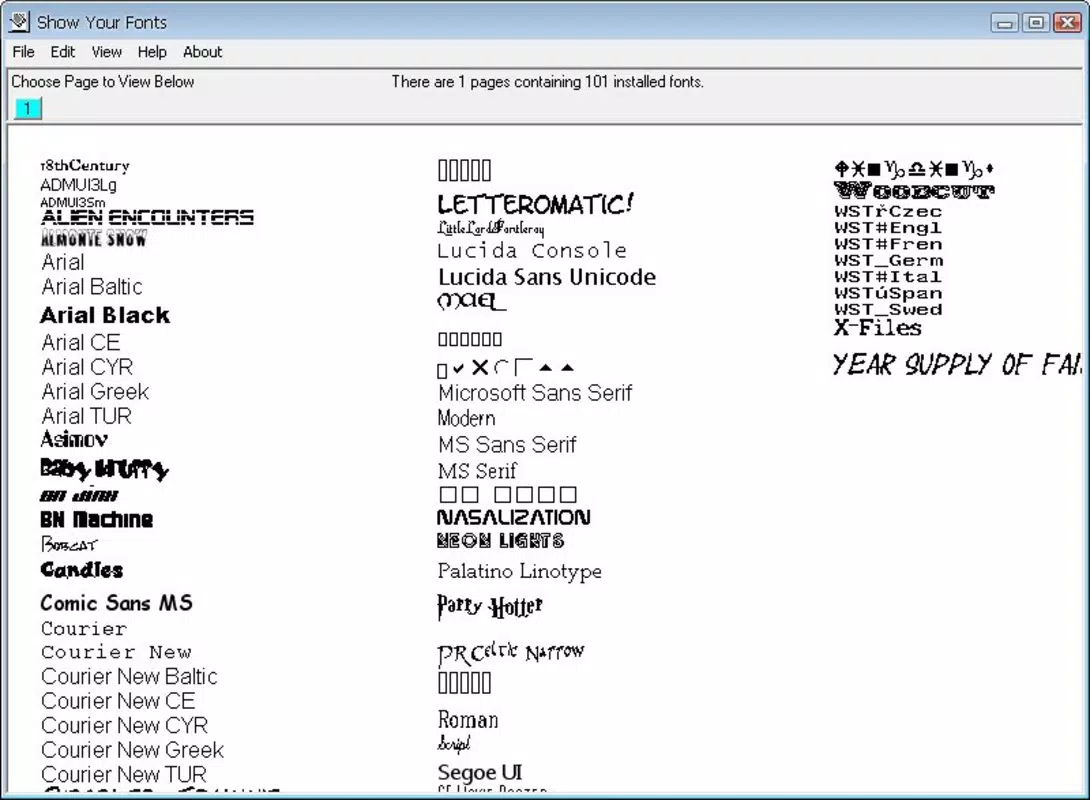
- Instant Font Preview: The app displays all installed fonts in a scrollable list with real-time visual rendering. Users can quickly scan through options without loading external applications, saving significant time during the selection process.
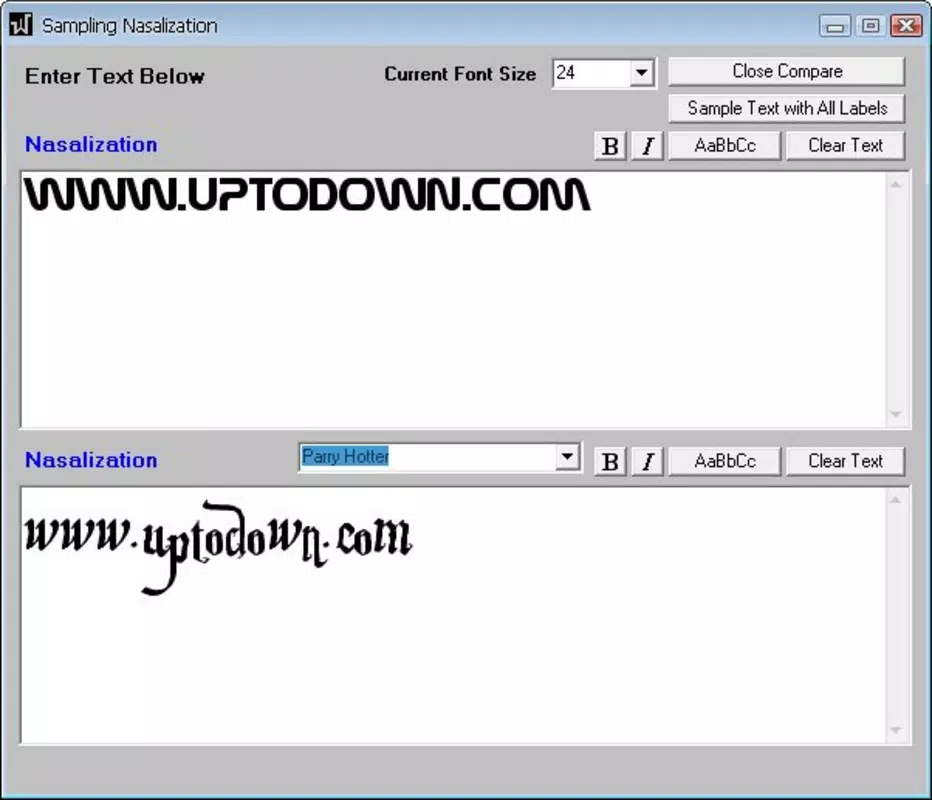
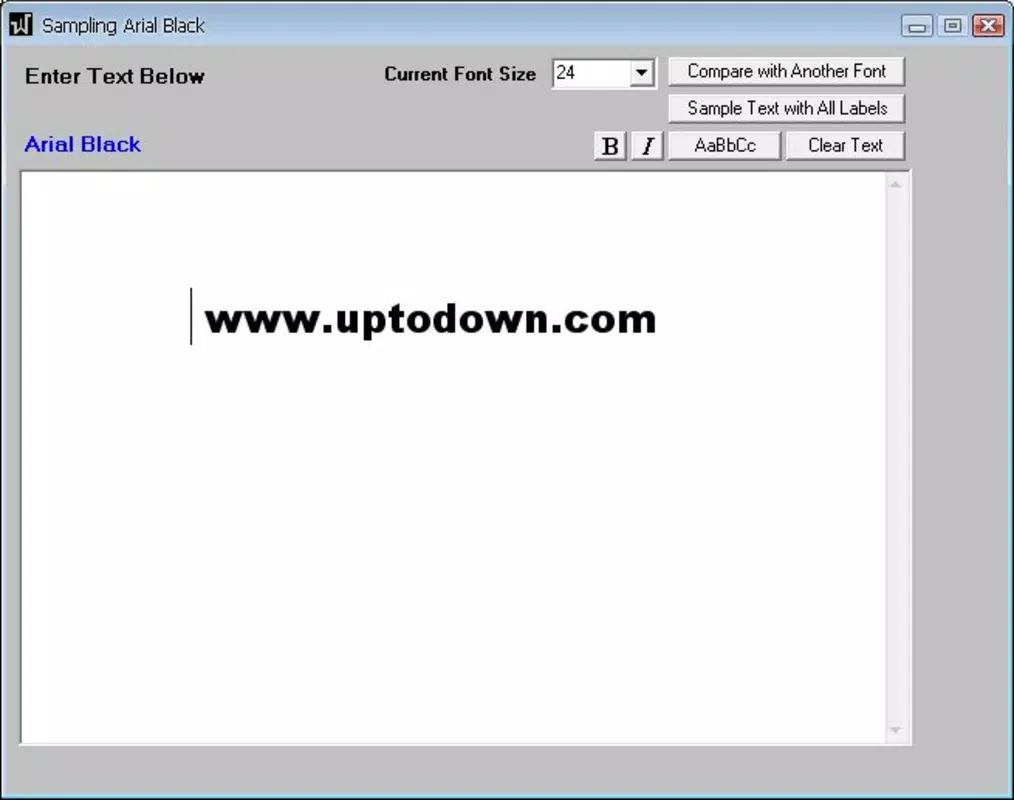
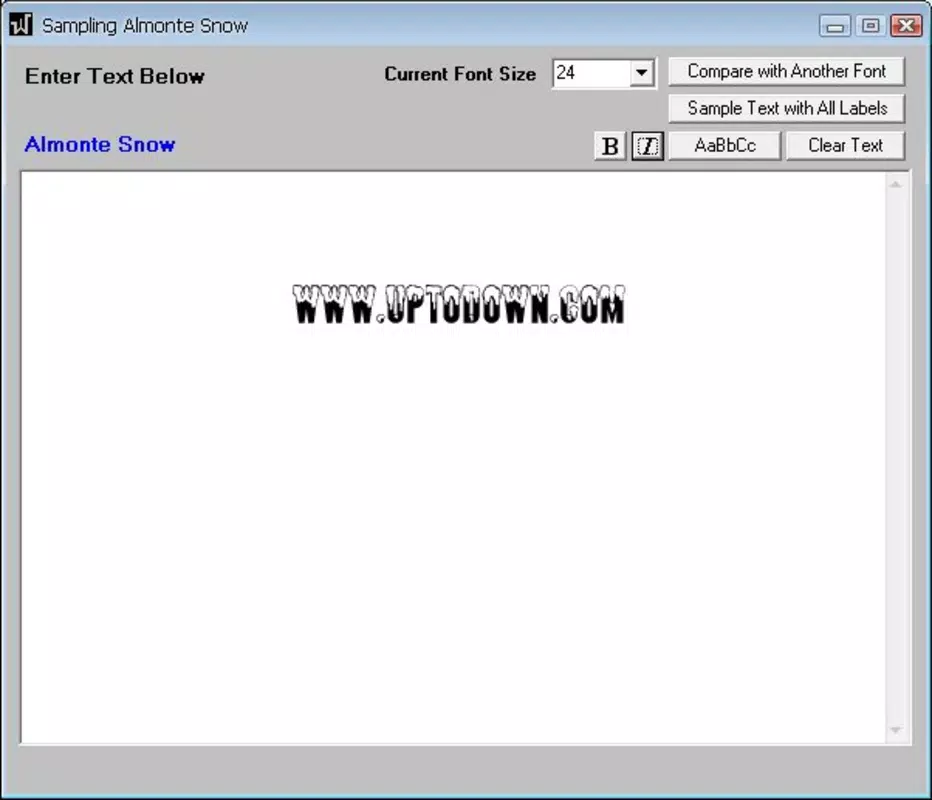
- Sample Text Input: A customizable text field allows users to type any sentence to see how different fonts render with their specific content. This feature is especially useful for testing spacing, kerning, and visual harmony in project-specific contexts.
- User-Friendly Interface: The layout is clean and intuitive, prioritizing accessibility. Navigation is straightforward, with minimal on-screen elements, enabling users to focus on typography rather than interface complexity.
- Zoom Functionality: Users can zoom in on individual fonts to inspect fine details such as stroke weight, character spacing, and glyph consistency, ensuring precise selection for high-quality output.
- Time-Saving Tool: By consolidating font preview and comparison into a single lightweight app, Show Your Fonts reduces workflow friction, making it ideal for designers, writers, and content creators who value efficiency.
For example, a graphic designer preparing a brochure can input the headline text and instantly compare how various fonts handle letterforms and spacing. Similarly, a writer crafting a blog post might test a quote’s visual impact using different typefaces. These practical applications demonstrate the app’s utility beyond basic browsing.
Interface, UX & Performance
Show Your Fonts features a minimalist interface with a focus on clarity and functionality. The layout presents fonts in a vertical list, each displayed with its name and a sample text rendering. The absence of cluttered menus or unnecessary animations enhances usability, especially for users seeking a distraction-free experience. Navigation is consistent and predictable, with intuitive touch controls for scrolling and zooming.
Although the developer did not list formal performance metrics, the app’s small file size of 2.5 MB suggests optimized code and low resource consumption. It is likely to run smoothly on a wide range of Android devices, including older models. Responsiveness appears to be a priority, as users can expect near-instant updates when changing text or zooming in on a font.
Stability is implied by the app’s longevity since its 2010 release, though no official updates or maintenance details were provided. The absence of reported crashes or bugs in public records indicates reliable operation under normal conditions. Overall, the user experience is streamlined and purpose-driven, aligning well with its core function as a utility tool.
Platform Compatibility & Technical Requirements
Show Your Fonts is available exclusively on the Android platform. The app is compatible with Android operating systems, though specific minimum OS requirements were not listed by the developer. The software version is 1.0, and the file size is 2.5 MB, indicating a lightweight footprint suitable for devices with limited storage.
Given the app’s release date in 2010 and its continued availability, it may support older Android versions. However, compatibility with modern Android releases cannot be confirmed without official documentation. Users should exercise caution when installing on newer devices, as compatibility issues may arise due to changes in system APIs over time.
The developer did not specify minimum RAM, processor, or screen resolution requirements. Therefore, performance on newer or high-end devices remains unverified. Nonetheless, the app’s small size suggests it is designed to function efficiently across diverse hardware configurations.
Pros and Cons
Pros
- Lightweight and fast-loading, ideal for low-storage devices.
- Simple, intuitive interface suitable for non-technical users.
- Real-time font preview enhances decision-making speed.
- Customizable sample text improves relevance for project-specific testing.
- Free to download and use with no in-app purchases.
Cons
- No information was provided about recent updates or ongoing development.
- Compatibility with modern Android versions is uncertain.
- Limited to installed fonts—no cloud or external font integration.
- No support for font categorization or filtering features.
- Developer did not disclose technical specifications or system requirements.
FAQ
Is Show Your Fonts safe to download?
Yes, the app is free and available through official Android channels. No malicious behavior has been reported in public records.
Can I use Show Your Fonts on iOS devices?
Currently, the app is only available for Android. There is no official iOS version.
Does Show Your Fonts support external or cloud-based fonts?
The app only displays fonts already installed on the device. It does not integrate with cloud storage or font libraries.
How often is Show Your Fonts updated?
The developer did not provide update frequency details. The last known version is 1.0, released in 2010.
Is Show Your Fonts compatible with all Android phones?
While the app is designed for Android, specific compatibility with newer devices or OS versions has not been confirmed.
Final Thoughts + CTA
Show Your Fonts remains a niche yet effective tool for anyone who values precision in typography. Its ability to deliver instant previews, customizable text rendering, and a clutter-free interface makes it a reliable companion for designers, writers, and content creators. Despite its age and lack of recent updates, the app continues to fulfill its core purpose with minimal friction.
For users seeking a simple, secure, and free way to compare fonts directly on their Android device, this utility offers tangible value. It’s particularly beneficial for those who frequently switch between typefaces and need a quick, on-the-go evaluation method.
While it lacks modern enhancements like cloud integration or font categorization, its focus on simplicity ensures consistent performance and ease of use. In a crowded app market, Show Your Fonts stands out by doing one thing exceptionally well.
Download Show Your Fonts now


